Choosing the right replacement laptop charger is essential to ensure your device’s functionality and safety. A mismatched charger can harm your laptop or pose safety risks. This guide helps you navigate power requirements, connector compatibility, and safety standards. An informed purchase prevents damage and maximizes lifespan. From identifying voltage, amperage, and wattage to picking certified chargers with smart protection, each step minimizes risks. Learn the specifics of USB-C compatibility and when universal chargers are secure options. Equip yourself with knowledge to avoid counterfeits and choose trusted brands. A smart charger choice keeps your laptop running smoothly while safeguarding its battery health and longevity.
Confirm Your Laptop’s Power Requirements First
Find voltage, amps, and wattage on the old charger
Identify key details on your old charger to match with a new one. Voltage is critical; it needs exact matching. Locate the amps required by your device to prevent underpowering. Wattage indicates the charger’s capacity. Usually, it’s listed on a label on the charger or device. These specifications guide you in picking a replacement that won’t harm your laptop’s components. If the label is worn, check your laptop’s manual or manufacturer site for the same numbers before you buy.
Match voltage exactly and meet or exceed wattage
Voltage must be matched exactly to avoid damaging your device. While amperage can meet or exceed the requirement, priority should be given to the wattage as it should also meet or exceed the device’s needs. This ensures sufficient power delivery without overloading the laptop. Proper matching of these details avoids potential damage or inefficiency in charging performance. When in doubt, choose a certified charger from a trusted brand to reduce safety risks and charging errors.
Understand USB-C PD vs barrel connectors
USB-C PD (Power Delivery) and barrel connectors differ in compatibility. USB-C offers versatility, higher charging speeds, and a universal fit for modern devices. Barrel connectors vary in size; precise fit is essential for effectiveness. Recognize the connector type your laptop supports. Although USB-C PD is preferred for newer models, understanding your device’s requirements ensures you choose accurately. Also note that some USB-C laptops need a minimum wattage for full-speed charging, especially during heavy work.
See also: Tech Businesses Are Investing Billions on
Check Physical Fit and Real Compatibility
Identify the exact connector size or USB-C spec
Connector size and type impact charger compatibility. For barrel types, measure dimensions to align with your laptop. USB-C specs require attention to PD capabilities for optimal charging speed and safety. Confirm connector size and type on the device label or manufacturer’s instructions for true compatibility assurance. Connector mismatch can result in inefficient power transfer.
Use model numbers and compatibility tools
Leverage your laptop’s model number to find chargers designed for it. Many manufacturers provide compatibility charts; use them to avoid guessing. Online resources and tools help identify suitable options based on model specifics. Empower yourself with correct data to ensure charger selection aligns with device requirements, minimizing risk of misfit and inadequate performance.
Know when a universal charger is truly safe
Universal chargers offer flexibility but come with risks. Verify voltage and wattage specifications align with your laptop. Check for safety certifications; these ensure operational security. Compatibility lists and expert reviews guide informed choices. Despite their versatility, exercise caution and confirm alignment with your device’s power needs for safe, effective usage.
Choose a Charger That Meets Safety Standards
Look for certifications and smart protection
Safety-centric chargers include certifications like UL, FCC, or CE, verifying construction quality. Look for features such as overcurrent protection, short circuit prevention, and temperature control. These elements enhance device safety, ensuring reliable performance. Smart protection safeguards your laptop from electrical mishaps, preserving both its functionality and user safety.
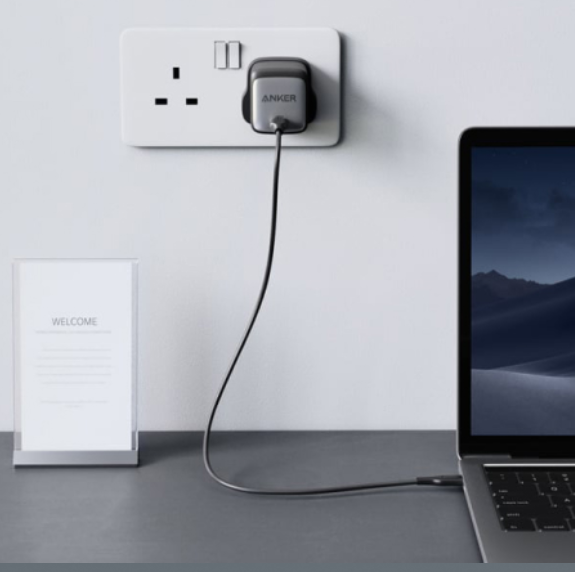
Reliable USB-C options like Anker GaNPrime for laptops
USB-C chargers with features like Anker’s GaNPrime offer reliability. GaN (Gallium Nitride) technology provides efficient power with compact design. Consider chargers known for consistent performance and robust safety features. Brands like Anker provide tested solutions that meet modern laptop needs. USB-C ensures universal compatibility alongside technological advancement for secure charging.
Conclusion
Choosing a replacement laptop charger involves thorough understanding of power specifications and compatibility. Validate voltage, amperage, and wattage details from your old charger to match the new one correctly. Prioritize safety certifications and smart protective features to safeguard your device. Whether opting for USB-C or barrel types, research your laptop’s exact requirements and explore trusted brands. Universal chargers offer flexibility but verify specifics to ensure secure use. Combining informed choices with certified technologies leads to reliable, efficient charging, enhancing both device longevity and user safety. This approach ensures your laptop runs smoothly and securely, with its battery health optimally maintained.