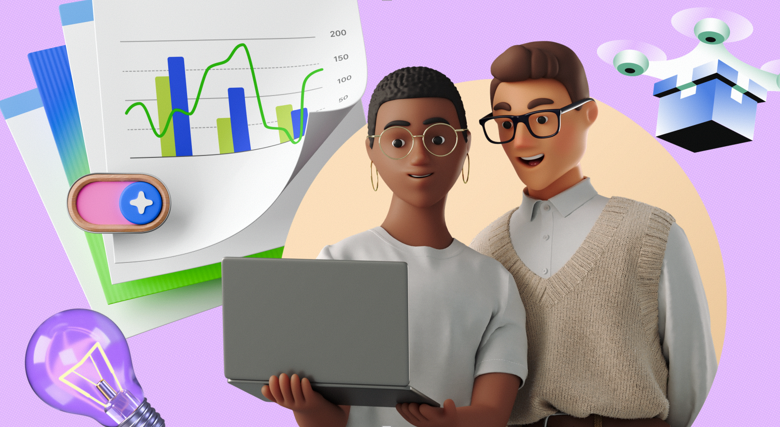
Digital product design has a budget problem. Custom illustration is the gold standard-a proprietary visual language competitors can’t touch. But for startups, agencies, and lean product teams, hiring a dedicated illustrator or commissioning a bespoke agency is often a financial pipe dream.
Traditional stock illustration fails here. You get the “Frankenstein effect”: a flat vector character sitting awkwardly next to a detailed 3D icon. The result looks disjointed and amateur.
Ouch by Icons8 fixes this by focusing on style systems rather than isolated assets. With over 101 illustration styles and thousands of vectors and 3D renders, it sits in the middle: the consistency of a design system with the speed of a stock library.
Establishing A Visual Language For A SaaS Product
Designing a SaaS dashboard isn’t about finding a single hero image. The real challenge is finding 50 images that look like siblings. You need visuals for empty states, 404 errors, success confirmations, onboarding flows, and spot illustrations for features.
Start by filtering the Ouch library by style, not subject. A data-heavy fintech app might need a minimalist, monochrome line look. A gamified consumer app might benefit from 3D bubbles or trendy, colorful compositions.
Once you pick a style-say, “Business” or “Technology”-download the assets as SVGs. This matters. Unlike PNGs, SVGs let development teams manipulate the code directly. Use the Ouch interface or Mega Creator to swap the primary accents to match your product’s hex codes.
Now you have a library covering the entire user experience. A “No Results Found” illustration matches the “Welcome” email sent days ago. That consistency builds trust. It mimics the output of an in-house team without the salary overhead.
Creating Dynamic Marketing Collateral
Content managers and social marketers face different demons. They need scroll-stopping visuals fast. Static vectors work for blog posts, but social feeds demand motion and depth.
Here, you use Ouch’s animated and 3D capabilities. Skip the static image for that Instagram story announcing a new feature. Select a 3D style instead. Download the asset as a MOV file or, for web implementation, a Lottie JSON file.
Pre-made scenes often miss the mark. That’s where customization happens. Ouch assets are layered vector graphics broken into searchable objects. Take a standard “office meeting” scene. Delete a character. Add a specific tech device. Change the background elements using the Mega Creator integration.
Modularity kills the “I’ve seen this before” reaction common with stock photos. Mixing objects within a same style family creates unique compositions. Newsletters, ads, and social headers stay on-brand but feel fresh.
A Day In The Workflow: The Solo Developer
Picture a freelance developer building a travel aggregation site. They know React and Python cold but lack confidence in graphic design.
At 9:00 AM, they open the Pichon desktop app. It pipes Ouch directly into their workflow. They need a hero image for the homepage. They drag and drop a 3D globe illustration right into their design tool.
By 11:00 AM, they are fleshing out a section on nature destinations. Text needs breaking up. They search the Ouch library for a river clipart style matching that earlier globe. A vector path fits, but it’s blue, and the site uses dark mode. A quick recolor fixes it before export.
Later, the “About Us” page needs to show the team’s remote nature. Generic stock photos of people shaking hands won’t cut it. They find a stylized illustration of people working from different locations. Downloading the FBX file for a 3D model lets them render it at the exact angle the layout requires.
The day ends with the footer. Social icons shouldn’t look like the standard font-awesome set. They pull matched icons from the same style family used for the main illustrations. The site looks polished and intentional from header to footer.
Comparison With Alternatives
Freepik
Freepik is the volume leader. They have millions of generic vectors. But it functions as a marketplace for thousands of contributors. Finding a consistent style that covers 50 different use cases is a nightmare. You often end up mixing artists, which breaks visual cohesion. Ouch curates tighter, consistent styles.
Undraw
Undraw is the open-source standard. Free, clean, and SVG-based. But it’s everywhere. Using Undraw signals “generic startup” immediately. Ouch offers distinct artistic directions-from surrealism to sketchy hand-drawn looks-that help brands differentiate.
Custom Illustration
Hiring an illustrator is the only way to get a truly proprietary system. You get visual metaphors 100% specific to your product. But this route is slow and expensive. Ouch acts as the bridge: 90% of the quality and consistency of custom work for a fraction of the cost.
Limitations and When This Tool Is Not The Best Choice
Ouch works well, but it isn’t magic. It doesn’t replace high-end brand storytelling in all scenarios.
Niche Metaphors
Dealing with highly abstract or specific technical concepts? “Kubernetes container orchestration inside a quantum computer” won’t have a pre-made match. You will likely rely on generic “server” or “tech” imagery, which might fail to communicate your nuance.
Style Lock-in
Commit to a specific style (e.g., “Style 44”), and you are limited to the assets available there. If that style lacks a specific object you need later-like a medical instrument or rare animal-you are stuck. You either break consistency or go without.
Attribution Requirements
Free plans require a link back to Icons8. That looks unprofessional on client work or enterprise applications. Paid plans remove this and unlock vector formats, but zero-budget projects might struggle with the cost.
See also: Emergency Ambulance and Its Role in Healthcare
Practical Tips For Getting The Most Out Of Ouch
- Stick to One Style ID: Note the name of the style (e.g., “Pluto” or “Bamburg”). Do not mix styles on the same page. Eyes detect subtle differences in line weight and shading instantly.
- Use Searchable Objects: Don’t just search for scenes like “meeting.” Search for individual components like “lamp,” “hand,” or “phone.” Build your own scenes by combining these isolated elements.
- Check 3D Formats: Working in video or advanced web design? Look for styles offering MOV or FBX files. These allow rotation and animation that flat PNGs cannot support.
- Use Lottie for Web Performance: Prioritize the Lottie JSON format over GIF for animations. Lottie files are code-based, infinitely scalable without pixelation, and significantly smaller, which speeds up load times.
Can an off-the-shelf library support a coherent brand system? Yes, provided the library prioritizes systems over volume. Ouch provides enough depth in its specific styles to let teams build full products without the visuals falling apart, effectively bridging the gap between generic stock and expensive custom work.